)
To celebrate Last Flag’s PC launch on April 14, we’ve crafted a suite of rockin’ purple duds for all nine contestants that you can earn by watching your favorite broadcasters play Last Flag live on Twitch.tv! Here’s a look at what we’ve cooked up for you, and we’ve also included instructions to link your accounts so that you can lock in on launch day.
Last Flag Twitch Drop Rewards
Starting on launch day, all Twitch streamers can enable Twitch Drops on their channels so that viewers like you can unlock killer cosmetics for their in-game loadouts based on watch time. The more you watch, the more you earn!
When to Tune In:
Drops Begin: April 14, 2026 at 10:00 a.m. PDT
Drops End: April 28, 2026 at 10:00 a.m. PDT
Rewards by Watch Time:
You will be eligible to claim the following cosmetic rewards in Last Flag based on the amount of time you’ve watched live broadcasts of the game:
1 hour: Bounty Hunter Skin, Lumberjack Skin, and Roadie Skin
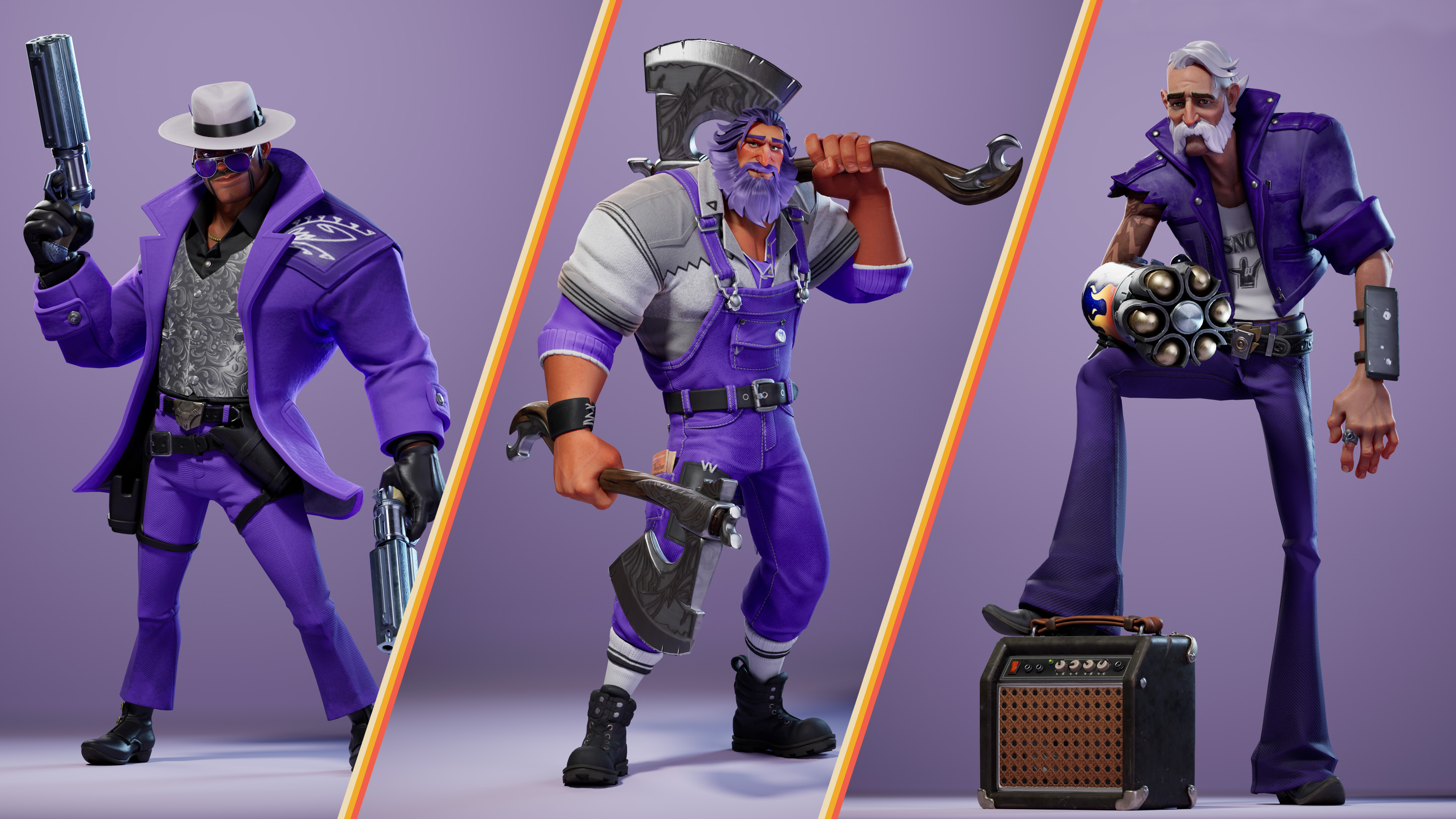
2 hours: Tango Skin, Scout Skin, and Arsenal Skin
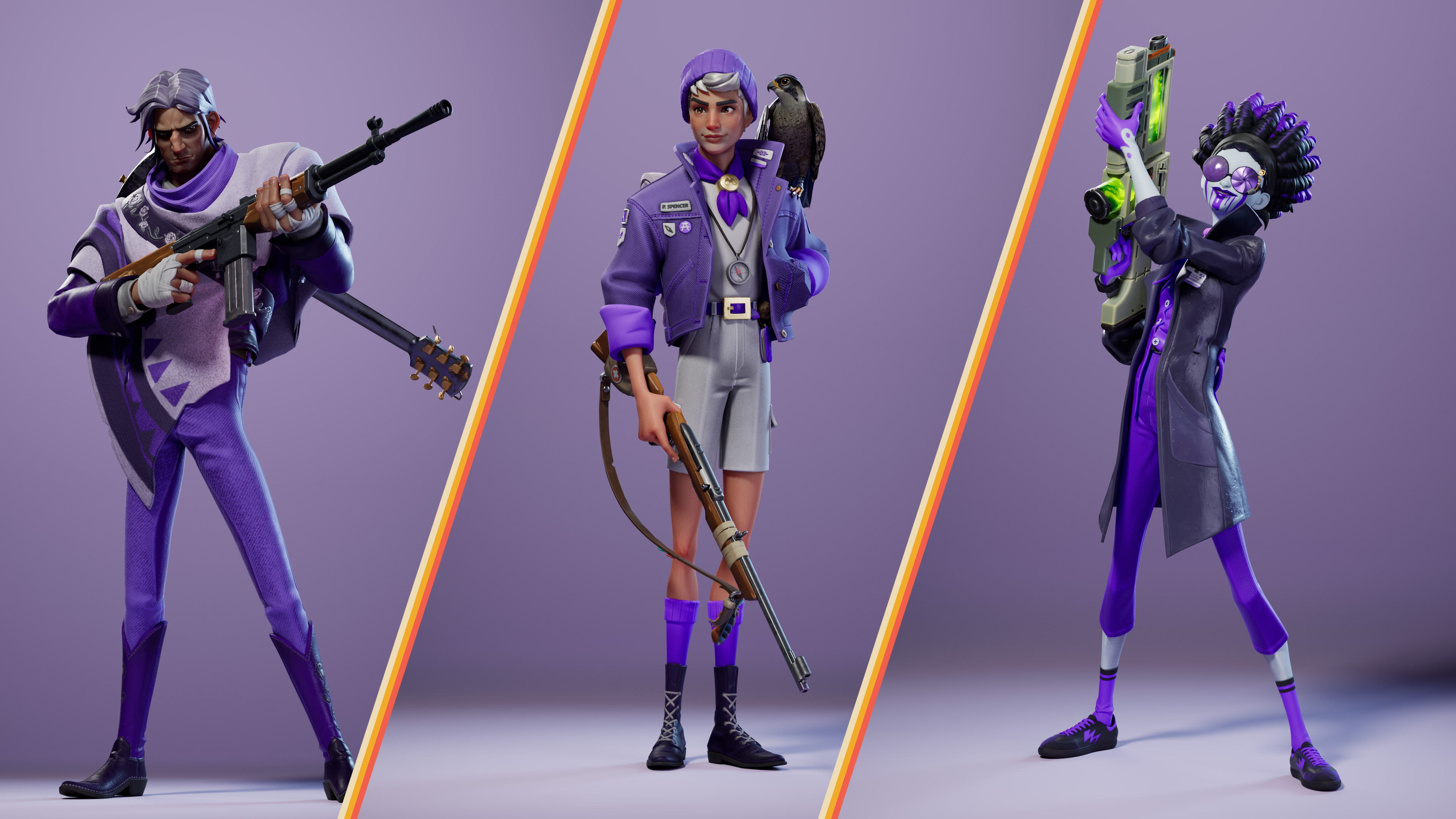
4 hours: Skyfire Skin, Knives Skin, and Banshee Skin
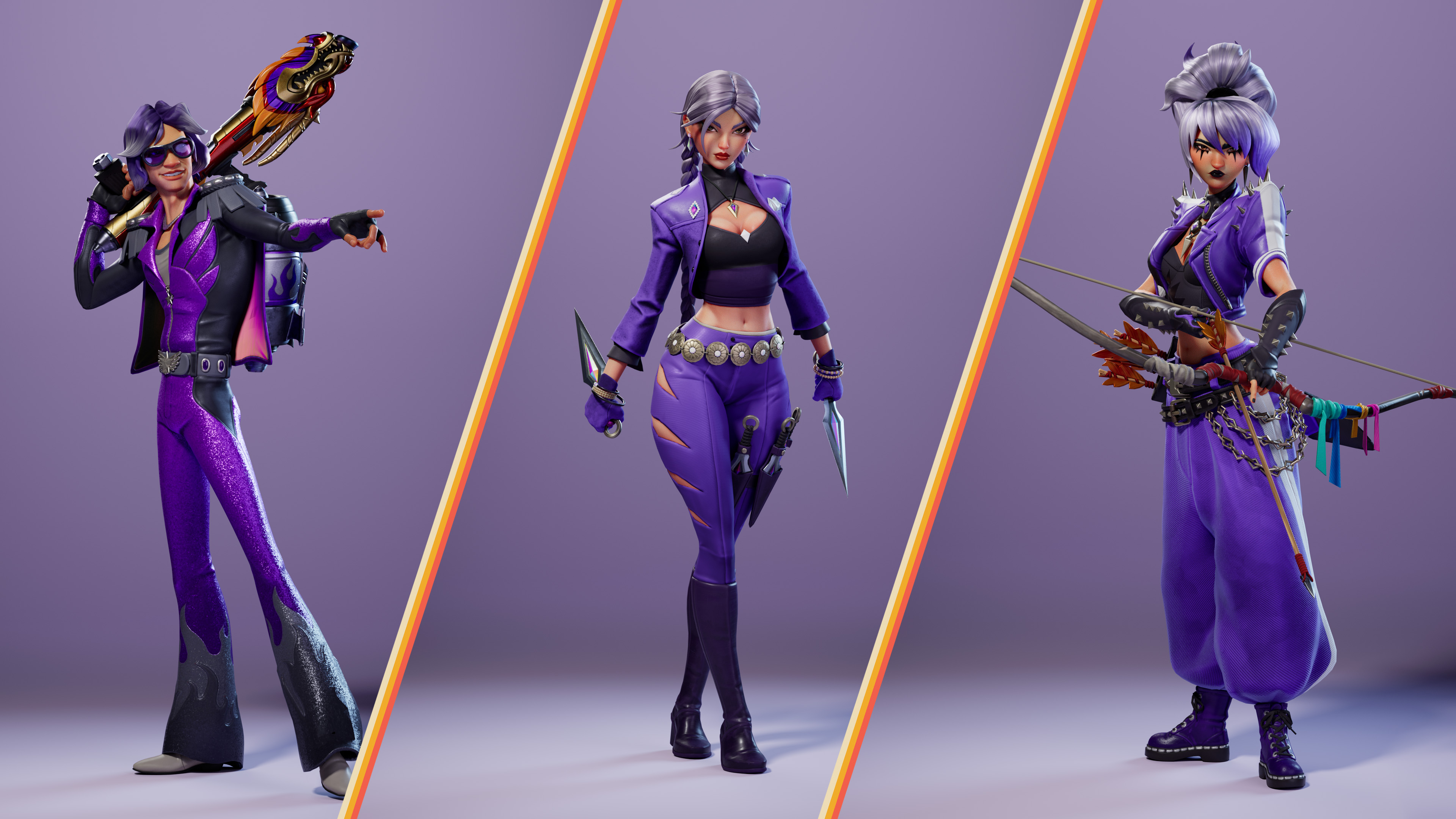
To receive your Twitch Drop rewards in Last Flag, you will need to link your Twitch and Steam or Epic Games Store accounts, and then claim the rewards in your Twitch Inventory. Follow the steps below to connect your accounts.
How to Link your Accounts
You will be asked to authorize the connection to Twitch. Please ensure the Twitch account you are logged into is the one you want to link, and then click “Authorize.”
On the “Choose how to sign in” screen, select the platform where you own Last Flag (Steam or Epic Games Store) and sign in.
After logging in, you will be taken to the “Linked Accounts” page. Confirm your Steam or Epic Games Store account appears correctly in the list.
Find the row labeled “Twitch” and then click “Link” on the right-hand side to finish.
Once your accounts are linked, you’re ready to start earning Twitch Drops. Visit your Twitch Inventory to track your progress toward each Drop and claim rewards once you’ve earned them.
Please Note: Twitch Drop rewards must be claimed on Twitch before the end of the campaign on April 28.
After claiming your rewards, they will appear in your Last Flag account the next time you log in. From the game’s main menu, click the “Contestants” tab, select a contestant from the list, and then select “Loadouts” at the top of the screen to view and equip your new skin.
Who to Watch
All Last Flag channels on Twitch that are actively live streaming Last Flag and have the Drops Enabled tag will count toward your Twitch Drop reward progress. Visit the Last Flag category page on Twitch to find broadcasters who are playing Last Flag live.
Need Help?
If you encounter any issues with Twitch Drop reward progress, claiming Drops in your Twitch Inventory, or if you have questions about Twitch Drops not covered here, please visit this comprehensive help article on Twitch.
Once your contestants are decked out in purple, you will be ready to steal the spotlight (and the flag) during launch week. See you then!